Two arms that pour a test tube to exactly half full
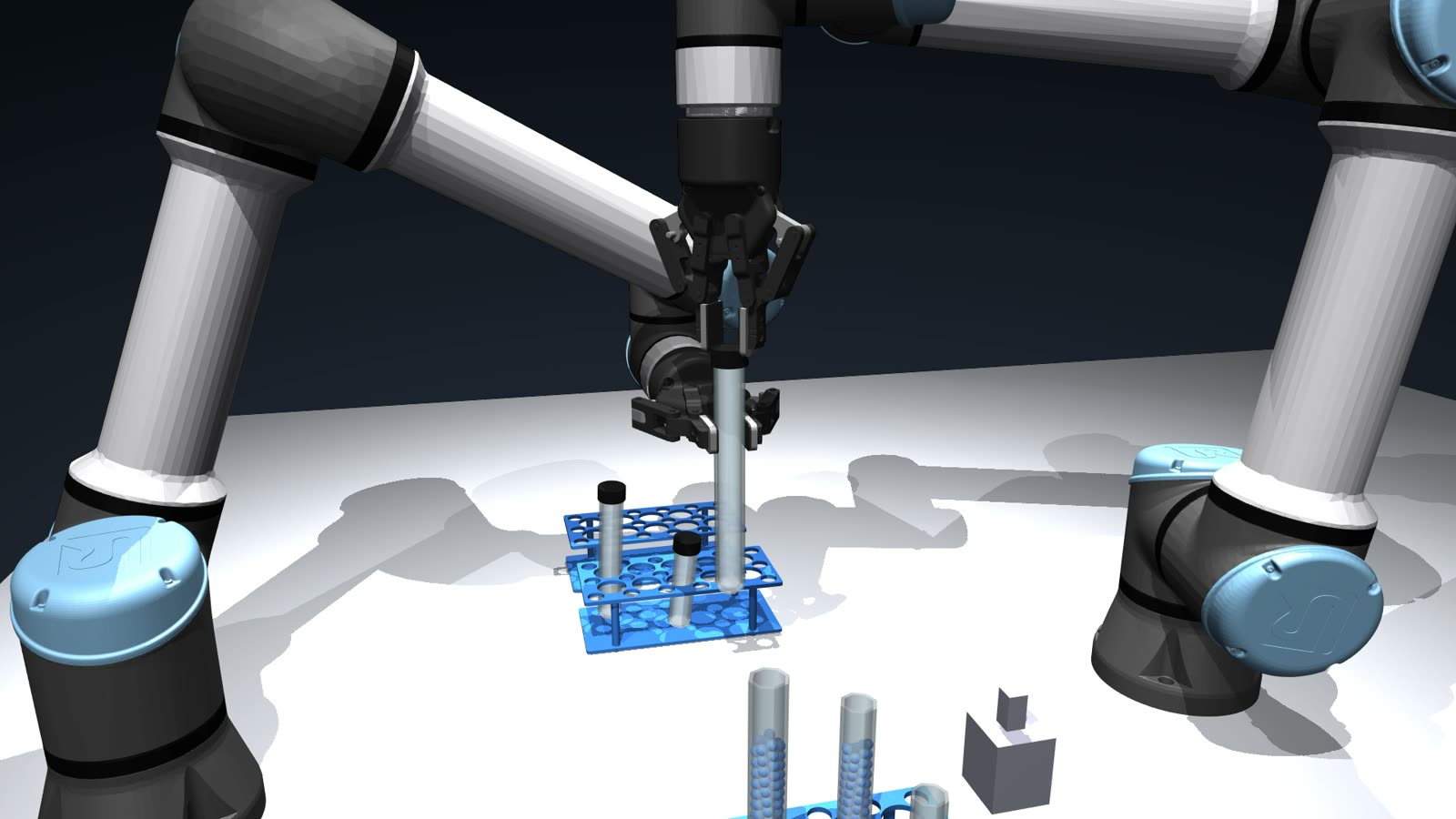
Nothing is known in advance: not how many tubes there are, how big they are, or how much liquid each holds. Two UR5e arms find out with their cameras, pour from one tube into another until it reaches the 50% mark, and put both tubes back in their racks.
- Robots
- Two UR5e arms with Robotiq 2F-85 grippers
- Simulation
- MuJoCo, with the liquid as small particles so level and spills can be measured
- Sensing
- Overhead, wrist and pour cameras, plus joint readings
- Learned parts
- Finding the tubes, choosing a grasp, reading the level
Why it is hard
Pouring looks simple until the arm has to stop at exactly the right moment, in a tube it has never measured.
Nothing is known up front
The arms are not told how many tubes there are, how big they are or where they stand. Everything comes from camera images.
Every pour starts differently
The angle where liquid starts to flow depends on how full the source tube is, and that is not known.
Different sizes pour differently
Half full is a different volume in each tube size, and each size pours differently at the same angle.
Liquid keeps falling after you stop
Drops already in the air still land, so the arm has to start tilting back before the tube reaches its mark.
How it works
The same steps you see in the video, in order.
Step 1: Find every tube and rack
The overhead camera finds each rack and tube and measures its height. The wrist camera checks which tubes hold liquid, which decides which rack is which.
Step 2: Choose a pair
A coordinator matches an empty tube with a full one of the same size, and checks both can be grasped before either arm moves.
Step 3: Pick up and meet
Arm B lifts the full tube from the side and waits. Arm A carries the empty tube to the pouring point, then Arm B brings the full one in beside it.
Step 4: Pour while watching the level
A camera watches the receiving tube. A network reads the level, the flow and the drops still falling, and the arm tilts back early so the last drops land on the mark.
Step 5: Put everything back
Arm B returns the source tube to its own cell, and Arm A sets the filled tube in the destination rack.
Model or no model
Which steps needed a learned model?
Learned
- Finding and sizing tubes in the overhead image (YOLO)
- Choosing a grasp that clears the neighbouring tubes, from a depth image
- Reading the level and the flow from the pour camera (a CNN)
Programmed
- Coordinating the two arms and the order of moves
- Every arm motion, from picking to putting back
- The tilt itself, driven by the network’s reading
How we chose
A hand-written rule read the level less well than a network, above all the flow, which is what decides when to stop. So a network does the seeing and the movement stays programmed, which keeps it predictable and easy to check. We also trained an ACT policy that drives the pour directly, and kept it as a comparison.
How we decide in generalDecisions that made it work
Only what a real robot can sense
Every decision uses camera images and joint readings. The simulator’s own knowledge of where things are is used only to grade the run.
Hold tubes from the side
Both arms grip from the side, so the openings stay clear for the pour.
One coordinator, one arm moving at a time
A single program gives each arm its job and waits for it to report back, the way a cell planner talks to arms over ROS. When the arms are close, only one moves.
Stop early, on purpose
The tilt back starts before the mark, timed from what the camera sees still falling.
Tools we used
- MuJoCo
- UR5e
- Robotiq 2F-85
- YOLO11
- PyTorch
- ACT
- Python
Capabilities this draws on
Where it goes next
- Screw caps on the full source tubes, opened without spilling
- All three tube sizes, including the smallest
- Retrying automatically after a missed pick
More use cases
Lab automation
Uncapping screw-cap tubes
One arm holds the tube while the other unscrews the cap, feeling through its wrist when the cap comes free.
See the full run
Glassware handling
Racking drinking glasses
One arm measures a glass it has never seen, weighs it, turns it over and stands it on a drying rack.
See the full run